 |
 |


Technical
Step 1: Turn Off the Computer Firewall
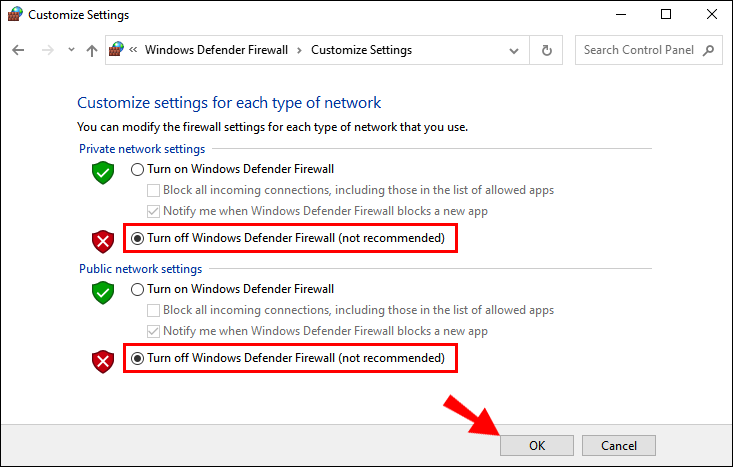
1. Click the Windows icon at the bottom left corner of the desktop.
2. Open the Control Panel.
3. Click “System and Security”.
4. Open “Windows Firewall”.
5. Click “Turn Windows Firewall Off”.
Step 2: Completely Close 360 Security Guard or Other Antivirus Software 1. Right-click the 360 Security Guard icon at the bottom right corner of the desktop.
2. Click “Exit”.
3. Click “Continue Exit” to confirm.
Step 3: Use Supported Browsers Such as Google Chrome
Click here to download the supported browsers.
